Posts

Showing posts with the label Photography

Back to Basics – Part 5C: Exposure: Shaping Light and Tonal Balance Underwater in Lightroom

Image
Exposure is about shaping light underwater, not just making an image brighter. 📘  Start here:   The Complete Guide to Editing Underwater Photos in Lightroom 👉 https://robertherb.blogspot.com/2026/03/editing-underwater-photos-lightroom-guide.html Introduction: From Color Correction to Light Control In  Part 5B , we focused on white balance, correcting the dominant blue or green color cast characteristic of underwater photography. Once white balance is dialed in, your image usually looks  more natural  but often still feels flat, dark, or lifeless.  That is normal.  White balance fixes  color accuracy . Exposure and tonal balance fix  how light feels  in the image.  This is where many underwater photographers make a critical mistake. They try to fix exposure problems before color, or they push sliders randomly until the image “looks brighter.” The result is often blown highlights, muddy shadows, noisy backgrounds, and unrealistic...
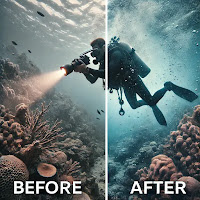
Noise Reduction vs. Sharpness: Finding the Balance in Murky Waters

Image
An AI-generated image that illustrates the use of Adobe Lightroom tools to find the balance between Noise Reduction and Sharpness. If you've ever taken underwater photos in murky conditions, you know the challenge: your images are often riddled with noise, yet reducing it too much can rob them of their sharpness. With its latest AI-powered tools, finding the right balance is an art that Adobe Lightroom helps us master. In this guide, I’ll walk you through how to strike the perfect balance between noise reduction and sharpness using five real-world underwater scenarios. Why Does Noise vs. Sharpness Matter? High ISO settings are often necessary when shooting in challenging conditions, such as low-light environments or murky waters, particularly underwater photography. However, while these settings can help capture the scene, they frequently introduce noise, manifesting as unwanted graininess that can detract from the overall image quality. To address this issue, photographers oft...

Time-Saving Tips for Batch Editing Dive Photos

Image
An AI-generated image showing an underwater photographer batch editing images using Adobe Lightroom. Editing underwater photographs presents a unique and rewarding challenge due to the many images taken during a single dive. This can often lead to an overwhelming editing experience. Adobe Lightroom offers a variety of powerful tools and features that can simplify the batch editing process, significantly enhancing workflow efficiency while maintaining consistency across your dive images. This guide will explore these tools, highlighting their locations, providing relevant keyboard shortcuts, and offering specific examples tailored for underwater photographers. 1. Apply Presets During Import Starting your edits during the import process is a game-changer. Lightroom lets you apply a preset to every image as it is imported, giving you a head start on consistent adjustments. How To Do It: Location: In the Import window, on the right panel under "Apply During ...

Contact Form

Name

Email *

Message *

Follow "Robert Herb Photography Blog / Tips & Tricks"